
 This is how registration for the GLOA Spring season works.
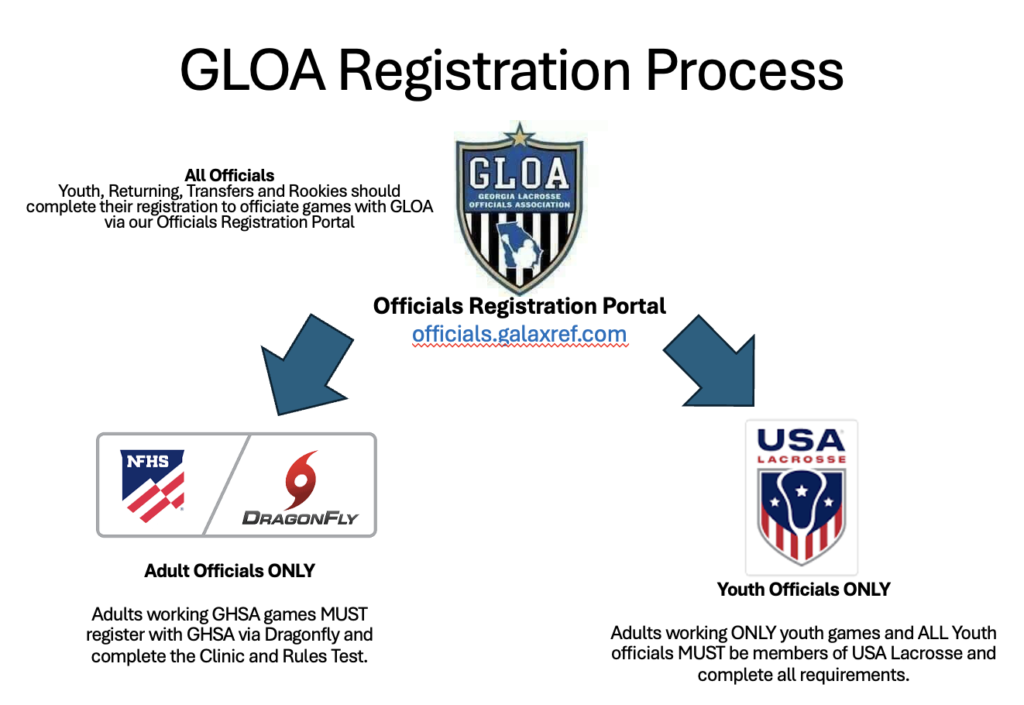
Everyone registers here on our new Officials Registration Portal: Youth officials, transfer officials, rookies and veterans.
There are now two tracks: one for officials who plan to work GHSA games as well as youth lacrosse, and a track for officials who will only work youth lacrosse.
Here you can find details on the 2027 Spring Training Schedule.
GHSA Officials
All adult officials who wish to work GHSA games as well as youth lacrosse this Spring must register with Dragonfly. It is important that ALL adult officials register promptly with GHSA via Dragonfly so that you are eligible to take the test, work GHSA games, and have access to the online rule book.
This includes:
-
- new adult official who has not received any training
- adult officials transferring from another association
- returning adult GLOA officials
Here are the DragonFly registration instructions:
-
- Instructions for NEW officials registration (those who DO NOT already have a Dragonfly account)
- Instructions for RETURNING officials registration (those who already have a Dragonfly account)
All GHSA officials are required to pay the GHSA registration fees in DragonFly at the time of registration.
Youth ONLY Officials
 All youth officials and any adult official who plans to work youth games must be current USA Lacrosse members.
This includes:
-
- Adult officials who plans to only work youth lacrosse
- All certified youth officials (under 18 and still in high school)
Please note that we DO NOT train youth referees in the Spring. Our next youth officials training will be in the Fall of 2027.
As always, if you have any questions, contact Clyde Allen at [email protected].
Dragonfly Instructions
 GHSA is using the Dragonfly application for registration this year. In addition to managing registration, the application will be used by GLOA for testing, background checks, and requesting a GHSA Game Pass card (more info below)
Registration of all GHSA officials for the 2027 spring season is currently open.
NOTE: DragonFly is currently being used by GLOA ONLY as a GHSA registration tool and to take the NFHS test. We still use Arbiter to assign games.
Please direct any questions or issue you have to Clyde Allen at [email protected].
Click here are the Instructions for GHSA Contest Officials.
The link you will need to begin your DragonFly registration is: https://www.dragonflymax.com/officials
You will first register with Dragonfly as an official, then choose your state association (GHSA), select the sport you wish to officiate, and finally your association (GLOA).
NOTE: if you register for ALL sports you plan to work at the same time you will NOT be charged additional fees.
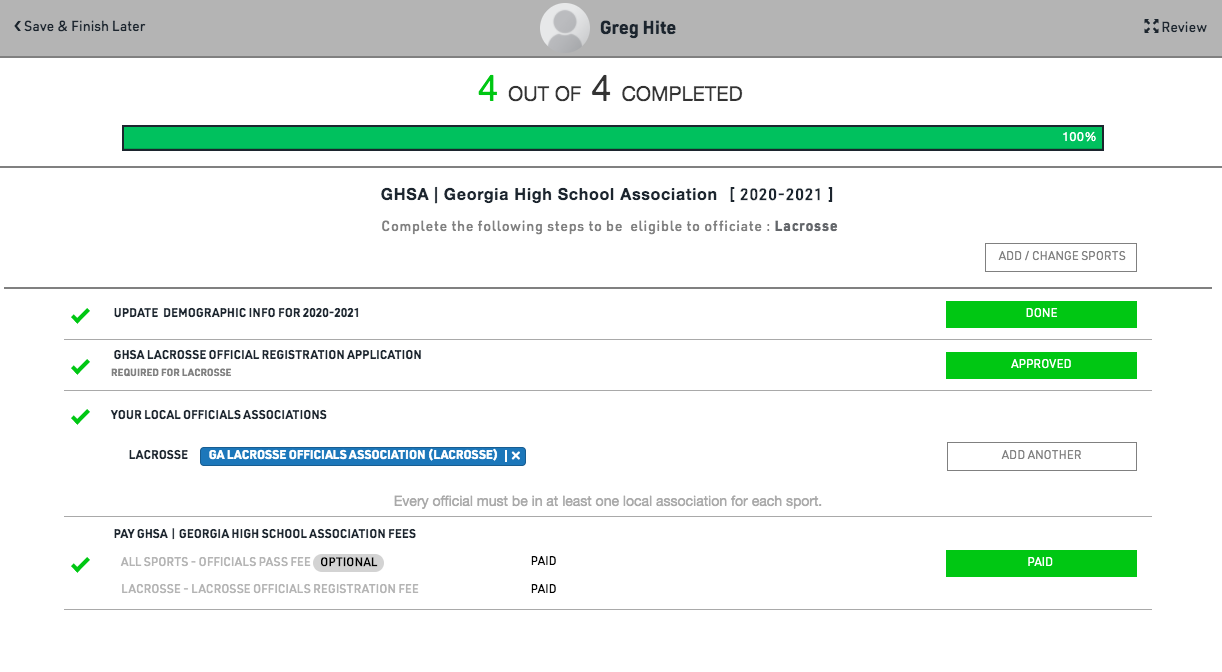
When you have completed these steps, you will be directed to pay the GHSA registration fees as well as any fees for games pass or background checks.
Glich with Background Checks
Even if you have completed your registration, please log in and make sure you have had your Background Check has been completed!
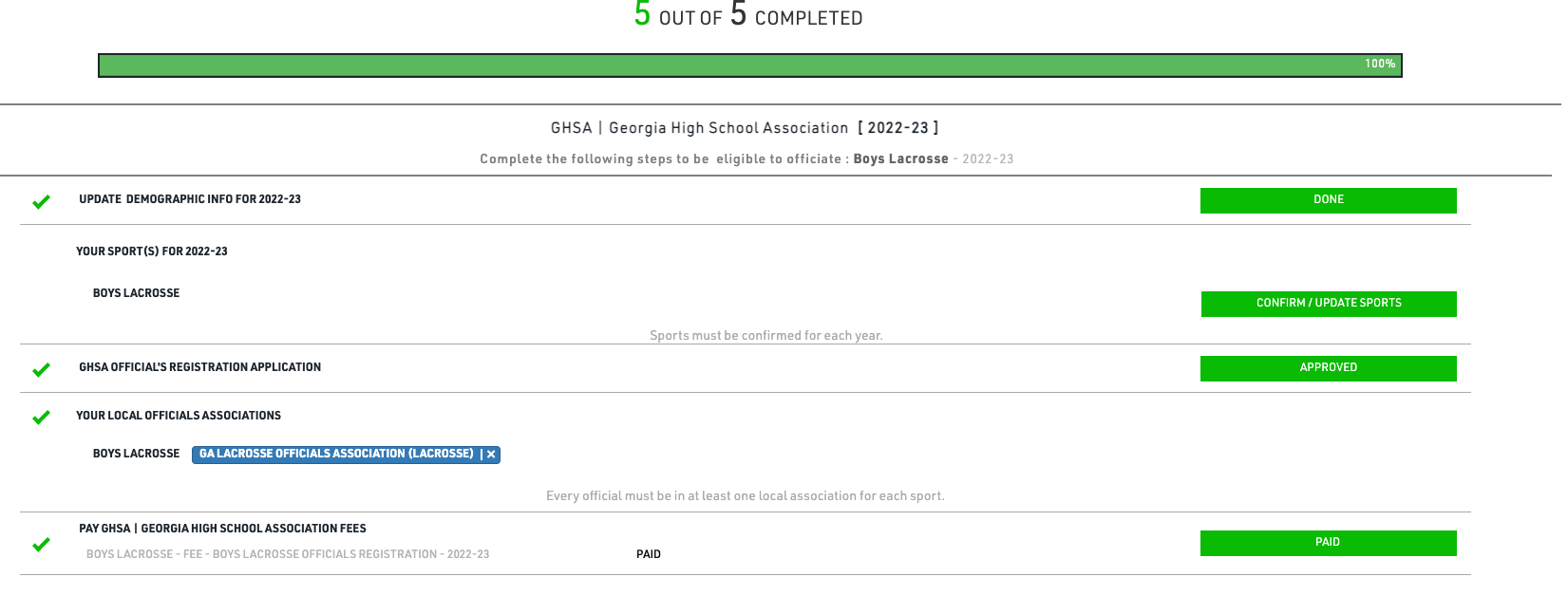
Officials can easily register for multiple sports. So if you are already registered for a Fall sport, you may begin the registration process for Lacrosse by clicking Add Another.
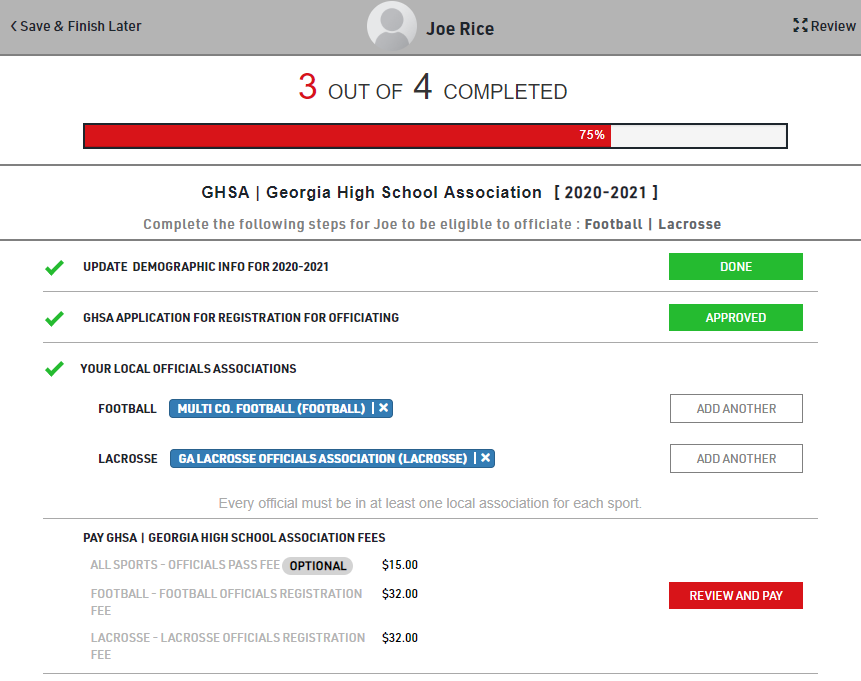
Please complete payment as GLOA is no longer collecting GHSA registration fees or money for annual game passes.
GHSA Season Pass
The current GHSA Season Pass for Officials/Coaches will allow the legal bearer of the pass and one (1) guest admission to any GHSA sanctioned event/activity.
-
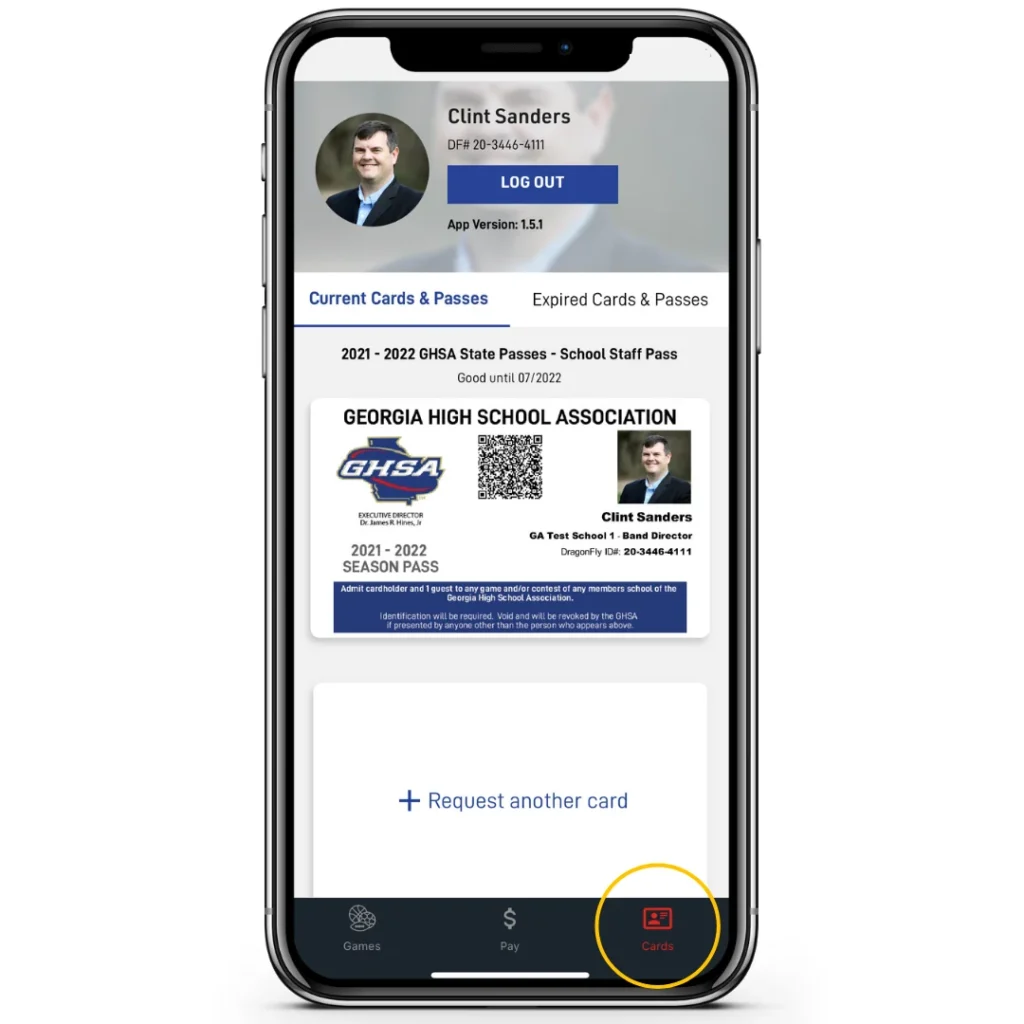 The official must present the season pass in the Center For Officials Services app (Android | iPhone) on a mobile device at the pass gate.
- Not valid if presented as a photo, screenshot, printed copy or any other form of presentation outside of the Center For Officials Services app or DragonFly Coach/Teams app on your mobile device.
- Admit cardholder plus one (1) guest only. “GHSA passes are non transferrable and may not be used by persons other than the individual to whom it was issued.”
- Note: The NFHS Officials Association Membership Card is merely used to identify the card holder as a member of the NFHS Center for Officials Services, and NOT to be used for admission to GHSA member school contest. you must apply and pay for the Game Pass each year.
Steps to Apply:
-
- Log in to your COS DragonFly Account.
- Select Complete My Registration to complete requirements/fees.
- After fee payment, select the newly populated NFHS Officials Card on your Today Page.
- Follow the on-screen questions and upload your photo.
- Click the blue Get My Card button to submit your request.
Contact Clyde Allen with any questions.